The best dictionary for understanding Thai
Stop switching between Google Translate and ChatGPT while learning Thai.
ThaiLookup gives you the translation, transliteration, tones, and sentence breakdown all in one place, so Thai gets easier to learn, and more engaging to practice.
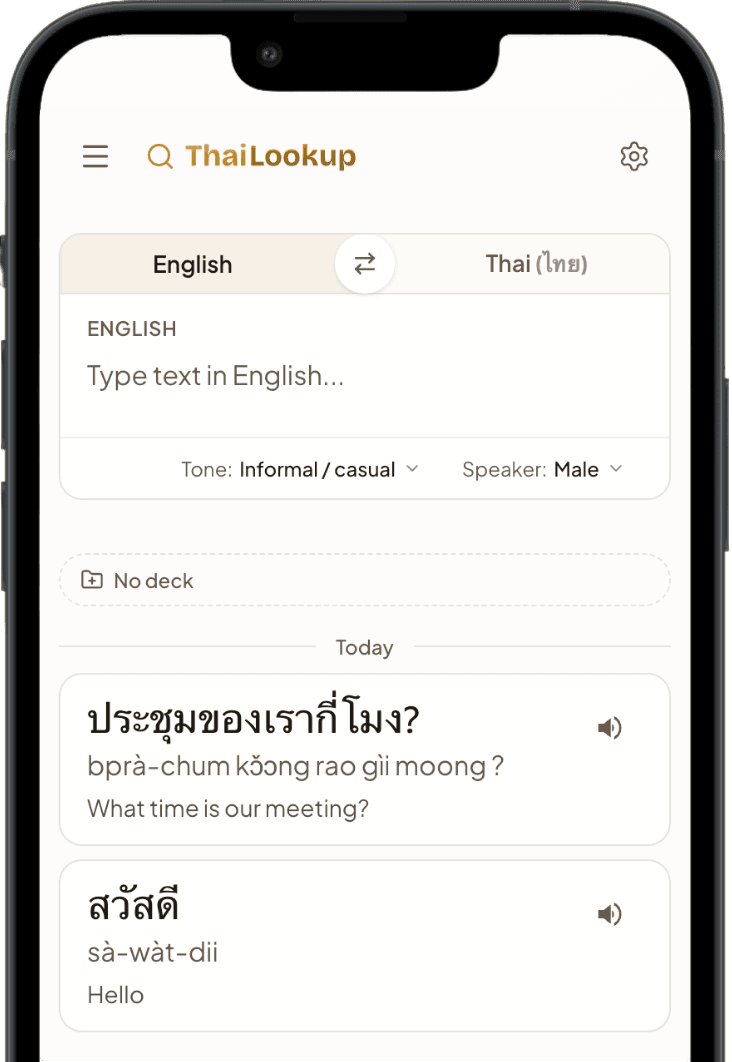
Look up any Thai word or text - instant English translation, tone, and romanization
ThaiLookup
Look up a word or sentence in Thai or English
Or try an example
Save it now, review it later
Every word or sentence you look up can be saved into a collection with one tap - no separate app, no copy-pasting into notes.
Group them however makes sense to you: by lesson, by topic, or just everything you want to come back to.
Frequently asked questions
How do I look up a Thai word?
- Paste or type Thai text into the lookup box and press enter. You get the English meaning, a tone-marked romanization, and a breakdown of the text word by word and syllable by syllable. Tap one of the example phrases to see a full breakdown before you type anything yourself.
Does ThaiLookup show tones?
- Yes. ThaiLookup works out the tone of every syllable and marks the romanization so you can see which tone each one carries. Most translators leave tone out, and getting it wrong means a Thai speaker hears a different word than the one you meant.
Is ThaiLookup free?
- Looking up Thai is free and needs no account. Sign in only when you want to save words into decks and review them over time.
Can I save the words I look up?
- Yes. Save any word or phrase from a lookup into a deck and review it with spaced repetition, so the words you meet in real sentences are the ones you keep. A translator gives you the meaning and forgets it the moment you close the tab.
Can I look up a whole Thai sentence, not just one word?
- Yes. Paste a full sentence and ThaiLookup splits it into words first, because Thai writing puts no spaces between them. You then get the meaning, romanization, and tone of each piece.
How is this different from Google Translate?
- Google Translate gives you the meaning and stops there. ThaiLookup adds the tone, the romanization, and the syllable structure, and keeps what you looked up for review. It teaches you the Thai instead of reading it for you.